Ohio State navigation bar

The Ohio State University
  • Map
  • BuckeyeLink
  • Webmail
  • Search Ohio State
College of Arts and Sciences
ASC Office of Distance Education
  • About
    • Annual Report
    • Our Mission
    • People
  • ASC Online Programs
  • Events
    • AI Workshops for Instructors
      • Recordings of Previous AI Workshops for Instructors
    • Teaching Forums
      • Archive of Teaching Forums Pre-2025
  • Distance Learning Curriculum
    • ASC Online Course Syllabi Examples
    • Crafting Policy for Student Use of Artificial Intelligence
    • DL Course Review Process and Required Documents
    • Distance Approval Cover Sheet Instructional Resources
    • Guided Course Creation Program
    • Online CourseShare Initiatives
  • Request a Consultation
  • Resources
    • Artificial Intelligence Resource Hub
    • Academic and Religious Holiday Calendar
    • Course Design Strategies
      • Regular Substantive Interaction (RSI) Guidance
    • Digital Accessibility
      • Digital Accessibility for STEM
    • Fast Facts
    • Instructor Spotlights
    • Project Spotlights
    • Student Video Resource Tutorials
    • Teaching with Technology Learning Community
    • Templates
  • Tools
    • Approval Process for New Learning Technologies
    • Teaching and Learning Toolset
      • AI Tools for Teaching and Learning
      • Activities and Assessments
      • Presenting Materials to Students
    • Tech Tools Course & Syllabus Statements
  1. Home
  2. Tools

Tools

Tools

Third party software and web tools must be approved by The Ohio State University and College of Arts and Sciences for use in instruction. Kayla Hennis is the Electronic Learning Development Senior Specialist in the ASC Office of Distance Education who can help you with the approval process for new tools. 

Contact Kayla for assistance at Hennis.19@osu.edu

University Approved Tools

Tools icon with digitized lines connected to cloud and settings symbols
Teaching and Learning Toolset
Carmen Canvas
Carmen Design Guide
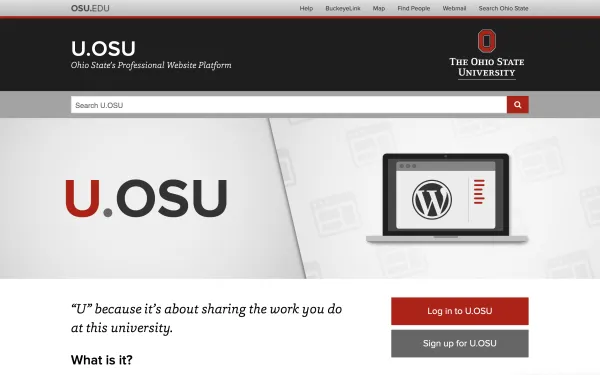
screenshot of u.osu.edu login/signup page
U.OSU.EDU
PowerPoint
Design Images with PowerPoint

Tools adopted by the College of Arts and Sciences

Hypothesis logo
Hypothesis: A Social Annotation Tool for Your Carmen Course
This is the H5P logo.
H5P: A Tool for Creating Interactive Course Content
Thinglink Logo: Square with camera lens at center. The square is divided intom 4 quadrants: pink box with white heart symbol, green box with white comment symbol, blue box with white triangle play symbol, and orange box with white music symbol
ThingLink: An Interactive Tool for Instructors and Students

Additional Tools

Desmos Logo
Desmos: An Easy and Powerful Online Tool for Graphing and Visual Representations of Mathematics
Desmos Classroom Branded Icon
Amplify Classroom: A Powerful Free Way to Build Interactive and Social Graph-based Assignments

Integrating New Tools in the Classroom

Cartoon student at a desk on a computer
Want to Explore a New Learning Tool? How to Get Started

Tools

  • Approval Process for New Learning Technologies
  • Teaching and Learning Toolset
    • AI Tools for Teaching and Learning
    • Activities and Assessments
    • Presenting Materials to Students
  • Tech Tools Course & Syllabus Statements
The Ohio State University College of Arts and Sciences logo

Contact Us

Denney Hall 009
164 Annie and John Glenn Ave
Columbus, OH, 43210


E-mail: ascode@osu.edu


  • RSS
  • Facebook
  • X
  • LinkedIn

If you have a disability and experience difficulty accessing this site, please contact us for assistance via email at asc-accessibility@osu.edu.

Privacy Statement

LOGIN

© 2026. The Ohio State University

Designed and built by ASCTech Web Services